
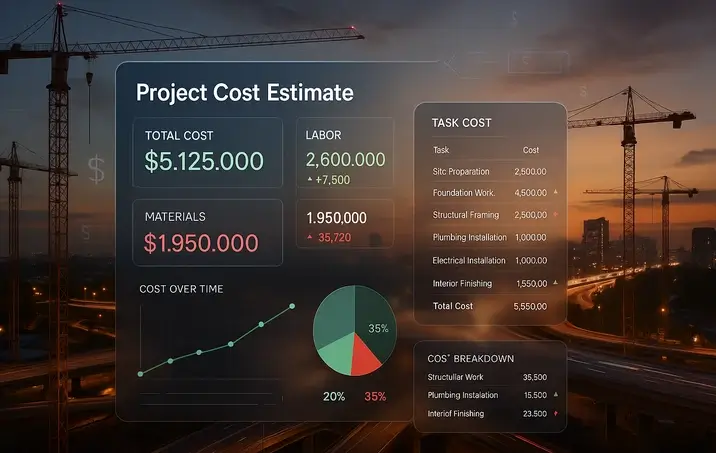
Cost blowouts wreck schedules, margins, and trust. A McKinsey review of 300 multibillion-dollar projects found average cost overruns of 80 percent and delays of 50 percent. Too often, shaky spreadsheets stuffed with optimistic unit prices trigger seven-figure surprises.
Today’s cloud-based estimating tools pull from historical cost libraries, live price feeds, and schedule data, so every design tweak refreshes the budget in real time.
In this guide, we’ll unpack those shifts and compare these eight leading platforms:
- InEight
- Oracle Primavera P6
- Cleopatra Enterprise
- CostOS
- Procore Estimating
- Sage Estimating
- Microsoft Project
- Microsoft Excel
We want to show you when they shine, where they fall short, and whether they’re worth a trial. Useful for cost estimators, PMs, project controls professionals, and stakeholders involved in cost estimation.
2026 Trends Reshaping PM Cost Estimation
Digital cost & budgeting tools have crossed a tipping point. Three shifts now set the pace: AI analytics, cloud delivery, and deep-system integration. Industry-specific templates are also trimming ramp-up time.
1. AI moves from buzzword to benchmark
Roughly 30 percent of new estimating releases in 2026 include predictive analytics that flag likely overruns before bid day (marketgrowthreports.com). Early adopters say bid-revision time drops by up to 25% because algorithms surface labor and material outliers.
2. Cloud collaboration becomes the default
According to Business Research Insights, about 55 to 65 percent of construction firms now run their estimators in the cloud, up from 40 percent in 2020. When a pipe size changes in Singapore, the Seattle model updates within seconds, so everyone trusts the exact numbers.
3. Integration stitches cost, design, and finance together
According to Verified Market Reports, more than half of enterprise deployments now connect the estimator to BIM, schedules, or ERP ledgers, turning static bid sheets into live forecasts that refresh with every field report. For example, integrated project controls software like InEight helps large-scale owners and contractors link estimating, scheduling, and field data in real time, reducing manual updates and improving cost forecast accuracy across global programs.
4. Sector-specific libraries accelerate adoption
Regional labor rates for contractors or agile story-point metrics for developers and software teams cut setup hours and reduce guesswork for niche players.
What to look for next:
- Vetted cost database. Skip blank-slate tools, and insist on a starter library you can localize.
- Scenario or risk engine. Monte Carlo-style simulations should run without an advanced degree.
- Usability that scales. The interface needs to feel intuitive on project one and still fly when your portfolio triples.
Check these boxes against your own process maturity, and you’ll ride the trend curve rather than wipe out.
InEight: integrated project controls for large-scale projects
Late design changes can sink nine-figure projects. InEight tackles that risk by combining estimating, scheduling, field progress, and document control in a single live dashboard. More than 850 owners and EPC contractors across 60 countries trust the platform, and it now guides over $1 trillion in capital projects. When a superintendent logs unexpected overtime, the cost forecast updates within seconds—no spreadsheet juggling required.
Independent voices back the claim. SelectHub says InEight “delivers real-time business insights to manage risk and keep schedules and budgets on track,” while an internal survey shows a 30 percent jump in staff utilization and 10 percent technology cost savings after rollout.
Why it wins:
- Single source of truth for cost, schedule, and risk—ideal for programs with hundreds of work packages.
- Analytics turn historical data into benchmarks, helping you spot overruns early.
Trade-offs to weigh:
- Enterprise pricing and onboarding; plan for dedicated training and change management.
- Smaller contractors may feel the learning curve outweighs the benefit; cloud-first rivals can be lighter for mid-size jobs.
Use InEight when live cost visibility is non-negotiable—think billion-dollar highways, power plants, or mining programs where preventing overruns means more than a low subscription fee.
Oracle Primavera P6: schedule-centric control with cost muscle

Primavera P6 remains the reference tool for schedule-driven megaprojects. More than 2,100 organizations worldwide store their critical-path and cost data in P6 (as of August 17, 2025). On Gartner Peer Insights, the enterprise edition holds a 4.6 out of 5 rating from 72 verified reviewers.
Where it shines:
- One schedule, one budget. Costs live inside the same network logic that drives your critical path, so a two-day slip triggers an instant cost variance.
- Built-in earned-value metrics. Planned Value, Actual Cost, and CPI/SPI roll up automatically once you assign resource rates.
- Probabilistic risk. The Primavera Risk Analysis add-on runs Monte Carlo simulations on both time and money, a must for defense, energy, and infrastructure bids.
Trade-offs to watch:
- Steep learning curve. Activity codes, calendars, and resource curves take weeks of seat time, and many firms plan for a dedicated scheduler.
- Enterprise pricing. Licenses and Oracle Cloud hosting suit portfolios, not single-project contractors.
- Schedule-first DNA. P6 ships without a cost library, so you’ll key in unit rates or connect a third-party estimator.
Reach for P6 when multiple currencies, contractors, and change orders collide in one program. Choose a lighter tool when the job finishes before your coffee cools.
Cleopatra Enterprise: industrial-strength total cost management

More than 500 owner and EPC organizations across 75 countries rely on Cleopatra Enterprise to budget, track, and benchmark multibillion-dollar process-industry projects. The platform lets your cost team sketch a conceptual estimate at 9 am and drill down to weld-inch detail by lunch, pulling each line item from a vetted petrochemical library.
Why heavy-industry teams pick it:
- Estimate-to-control loop. After a bid wins, the estimate flips into live cost control, and forecasts refresh automatically as purchase orders hit the ledger. A 2024 user survey showed up to 35 percent tighter budget performance and 27 percent faster estimate cycles after rollout.
- Multi-currency, multi-tax ready. Each valve, pump, or spool can carry region-specific rates, duties, and escalation curves, which matters when a single spec spans six currencies.
- Portfolio learning. Built-in analytics capture lessons from every shutdown or turnaround, letting some refiners quadruple the reuse of historical data year over year.
Trade-offs to weigh:
- Expertise required. Cleopatra assumes disciplined cost coding and data hygiene, which can leave casual users feeling overwhelmed.
- Setup time. Building a calibrated cost database takes weeks, not hours; that prep is worth it only when your program runs into the billions.
Pick Cleopatra when precision matters more than speed. It shines on refinery revamps, offshore platforms, and mining expansions where every decimal and duty surcharge can tilt the outcome.
CostOS: bridging BIM models and bottom-line dollars

CostOS connects directly to your 3D model, auto-extracts quantities, and updates the estimate before the design team finishes stand-up. In a Skanska case study on the £679 million A428 highway upgrade, the team kept 90 percent of the bill of quantities linked to the live BIM model, cutting manual re-takeoffs to near zero.
Why it matters:
- A study published on Springer reports up to 20 percent shorter pre-construction timelines once BIM take-off is automated.
- Current prices by default. A central cost library updates every beam, valve, or drywall sheet with today’s unit rate, not last quarter’s guess.
Trade-offs to weigh:
- Ramp-up. Estimators new to BIM need time to master 5D workflows and keep the database clean.
- Software investment. Licensing plus BIM-literate staff can outstrip simpler take-off tools; the cost makes sense only if design iterations arrive weekly, not yearly.
Dial in CostOS when design keeps moving and you can’t afford duplicate data entry. Reach for lighter apps if your drawings lock on day one.
Procore Estimating: from bid room to jobsite in one platform

According to Procore, more than 17,300 customers worldwide already host daily logs, RFIs, and photos on the platform. Adding the Estimating module keeps the bid inside the same cloud workspace that later handles budgets and change orders.
Why teams like Gardner Builders switched:
- Speed. Automated take-off and templated costs cut estimate time 75 percent—from eight hours to two—on typical interior packages.
- Continuity. Field crews open the same budget line you created during pre-con, ending export-import headaches.
- Repeatability. Reusable item libraries turn a chain-store fit-out from hours to minutes.
Limits to note:
- Resource-level productivity curves stay basic; specialty tools probe deeper.
- The subscription covers the full Procore suite, so a small subcontractor that only bids may pay for features they will not touch.
Stick with Procore Estimating if you already manage projects in Procore and want one source of cost truth. Pick a lighter standalone app when you only need a quick bid sheet.
Sage Estimating: templates that tame repetitive work

Sage Estimating swaps manual line-item slog for assemblies. Drop a 2,000-sq-ft slab, and the software autoloads concrete, rebar, formwork, and crew hours at today’s rates. Contractors like W.M. Schlosser says a task that took four hours in Excel now takes 20 minutes in Sage, an 85 percent time cut. Jordison Construction trimmed bid prep to one-third of the previous time and credits the speed with winning more work.
Why small-to-mid contractors adopt it:
- Ready-made assemblies and cost libraries remove re-typing and cut missed items.
- One-click hand-off to Sage 300 CRE turns the bid into job cost codes your finance team already trusts, giving you cash-flow clarity from day one.
Limits to weigh:
- The Windows desktop interface feels like it’s from the late 1990s; newer cloud tools look sleeker.
- The library is only as reliable as its updates, so skipped price refreshes create phantom margins.
Pick Sage when you live inside Sage 300 and turn out similar bids each week. Look elsewhere if you need browser-first polish or exotic cost models.
Microsoft Project: quick cost checks for straightforward plans

According to the Web Tribunal, about 59 percent of project managers say they use Microsoft Project to build schedules—more than any other single tool. When you need a same-day budget tied to a Gantt chart, Project fills the gap.
What it does well:
- One file, one forecast. Enter task durations and hourly rates, and the Project rolls up labor, material, and fixed costs into a live curve that stays aligned with the schedule.
- Low friction. If your team lives in Microsoft 365, the ribbon feels familiar and the license is already on the laptop.
- Basic earned value. Update percent complete and see CPI and SPI without extra plugins.
Limits to note:
- No cost library or risk engine. Every unit price is a manual entry, and missed scope hides until it explodes.
- Single-user bias. Desktop files still block true multi-editor collaboration unless you move to Project for the Web.
- False precision danger. Numbers look exact but rely on late-night assumptions, so treat them as directional, not contractual.
Pick Microsoft Project for internal initiatives, pilots, or one-off upgrades where “good enough” cost insight beats a long software rollout. Move to a purpose-built estimator once the stakes, or the spend, climb.
MS Excel & DIY spreadsheets: the ubiquitous baseline

Spreadsheets still rule the bid room: 64.9 percent of estimators say Excel remains part of their workflow, according to the JBKnowledge ConTech Report. A meta-analysis cited by PlanGuru found that about 88 percent of business spreadsheets contain at least one error.
Why we still open Excel first:
- Zero extra license cost and total layout freedom make it perfect for napkin-stage ideas or tiny internal projects.
- Anyone can tweak a formula at 10 pm and get a quick ballpark budget.
Where it bites back:
- One bad reference can add an extra zero, and version names like “FINAL-v3.xlsx” erode trust.
- The sheet lives alone: no live price feeds and no schedule link, so it ages the moment steel prices jump.
Conclusion
Excel isn’t the enemy; it’s the entry point. But once scope, stakeholders, or spend increase, the risk of silent errors and stale prices outgrows the convenience.
The right next step depends on your operating context:
- Megaprojects with heavy risk and change: InEight or Primavera P6 anchor cost to live schedules and risk models.
- Process industry precision: Cleopatra Enterprise pays off when multi-currency duties and equipment factors drive outcomes.
- Design-in-motion with BIM: CostOS shines when quantities evolve daily and 5D workflows matter.
- Construction teams already on a unified platform: Procore Estimating keeps estimating, budget, and field in one loop.
- High-volume, repeatable bids with Sage 300 finance: Sage Estimating’s assemblies win back hours weekly.
- Internal pilots and minor upgrades: Microsoft Project is “good enough” for quickly aligning budget and schedule.
Practical next steps:
- Map your maturity. List your current cost sources (libraries, vendor quotes), update cadence, and required integrations (BIM, ERP, scheduling).
- Run a two-week bake-off. Pick two tools, clone a recent estimate, and score: setup time, accuracy vs. actuals, collaboration, and export paths.
- Plan change management. Budget for training, governance (cost codes, UOMs), and a data-refresh calendar.
- Instrument results. Track bid cycle time, variance at completion, and rework % to confirm ROI.
Adopt purpose-built software when the consequences of being wrong are greater than the cost of being right.
Questions and Answers
1) What’s the fastest way to decide which platform to trial first?
Match your top two risks to tool strengths. If schedule slippage drives cost, start with Primavera P6 or InEight. If quantities churn inside BIM, try CostOS. If finance integration and repeatability rule, Sage Estimating or Procore Estimating.
2) How accurate are AI predictions in 2024 tools?
They’re as good as your history and cost coding. Expect AI to flag outliers and risky scopes, not to replace estimator judgment. Calibrate with at least 6–12 months of past jobs.
3) Do I need a dedicated cost database to start?
No—but it helps. Choose a tool with a starter library you can localize. Establish owners for price refreshes and audit rates quarterly to avoid “phantom margins.”
4) What integrations matter most on day one?
Prioritize: BIM/quantity takeoff if design changes often; schedule if critical path volatility hurts budgets; ERP/ledger if purchase orders must feed forecasts automatically.
5) How do Monte Carlo risk simulations help estimators?
They turn single-point estimates into probability curves for time and cost. Use them to set contingency and compare scenarios (scope adds, productivity shifts) with defensible confidence levels.
6) Is cloud security a blocker for cost data?
Most vendors support SSO, role-based access, and audit logs. Treat cost as sensitive: define permissions by WBS or cost code, and enable MFA. Ask vendors for SOC 2 or ISO 27001 evidence.
7) We live in spreadsheets—can we transition gradually?
Yes. Start by importing Excel templates into a chosen platform, keep exports flowing for holdouts, and sunset sheets by scope area. Set a cutoff date for new estimates to enter the system of record.
8) How should we measure ROI post-implementation?
Track estimate cycle time, variance at completion (VAC), change-order turnaround, and library reuse rate. If those trends go the right way within two quarters, the tool is paying back.
9) What training plan avoids a failed rollout?
Run role-based training (estimators, PMs, finance) with sandbox projects. Appoint data stewards for libraries and codes. Publish a one-page governance guide on units, markups, and cost coding.
10) When is Microsoft Project “enough”?
When you need a quick, schedule-tied budget for an internal initiative, pilot, or one-off upgrade—and you accept that unit prices are manual and risk modeling is minimal.
11) How often should we refresh prices?
High-volatility trades (steel, concrete, electrical gear): monthly. Labor rates: quarterly or at contract events. Lock the cadence into your cost library calendar.
12) What’s a good two-week trial checklist?
Import a recent job, rebuild 20–30% of scope, test BIM or schedule links, run one risk scenario, export to your ERP, and hold a stakeholder review scoring ease, accuracy, and governance fit.